Home › How to Use Vouchers
How to Use Hungry Jack's Vouchers: Step by Step Guide
Using a Hungry Jack's voucher takes about ten seconds once you know the order of things: pick your deal, save it or print it, and show it before you order, not after you pay. This guide walks through every way a voucher gets used in real life, on your phone, on paper, at the drive thru, and even with no internet at all, so the discount lands first time, every time.
How to Use Hungry Jack's Vouchers: The Short Answer
Here is the whole method in one breath. Open the current vouchers on our home page and choose your deal. Save that single voucher to your phone, or print it if your store prefers paper. At the store, tell the crew you have a voucher before you start ordering, show it at the counter or the drive thru window, and pay the lower price. That is genuinely all of it. Everything below is the detail for the situations that trip people up: phones with no signal, kiosks that will not take a voucher, breakfast deals ordered five minutes too late, and the handful of rules printed on every voucher that decide whether it works at all.
Where Do Hungry Jack's Vouchers Come From?
Before the how, it helps to know the where, because the four sources behave a little differently at the counter. Two of them need no phone and no account at all, and one of them is the reason this site exists.
From this site, one voucher at a time
Every current voucher is listed on our home page, cut out on its own, ready to save as an image, download inside the Hungry Jack's Vouchers PDF, or print at home. No sign up, no app, no hunting through expired deals.
The printed flyer in your letterbox
The original source. The flyer arrives by letterbox drop roughly every three months, and each coupon on it is cut out and handed over at the counter. Some stores also keep copies at the counter, so it is always worth asking.
Inside the Hungry Jack's app
The app runs its own separate deals in its rewards section, plus Shake and Win. Those are different offers from the printed vouchers, they live only inside the app, and they follow their own terms.
On the back of your receipt
A completed purchase often earns a survey invitation on the receipt, and finishing that survey earns a free treat on a later visit. It is the quietest voucher of the lot, and the one most people throw away unread.
How to Use a Voucher on Your Phone, Step by Step
The phone is how most people use vouchers now, and it is the method most stores are set up for. Five small steps, and the only one people regularly get wrong is the order of the last two.
STEP 1
Pick your deal first
Choose the voucher before you leave home, while the full current list is in front of you, not in the queue.
STEP 2
Save that one voucher
Save the single voucher image or the PDF to your phone, so it opens instantly at the counter.
STEP 3
Check the dates
Glance at the expiry date and, for breakfast deals, the before 11am rule. Ten seconds now saves an argument later.
STEP 4
Say it before you order
Tell the crew you have a voucher before the first item goes in. Discounts cannot be added after payment.
STEP 5
Show it bright and clear
Brightness up, voucher filling the screen, price and dates readable. Then pay the lower price and enjoy it.
Do You Need to Print Your Voucher?
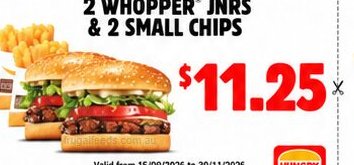
For most stores, no. A clear voucher image on your phone is accepted at most participating restaurants, at the counter and at the drive thru, and it is the fastest way to use one. But this is the one question where the honest answer has a second half. A growing number of stores now ask for the original paper copy only, because phone images of the same coupon were being reused again and again. Neither answer is wrong, it depends on your store. If your local has a paper only sign, or you have been turned away once, print the single voucher at home or use the flyer itself. Everyone else can keep it on the phone with confidence, and the full current set is waiting on our Hungry Jack's vouchers list whenever you need it.
How to Use a Voucher at the Drive Thru?
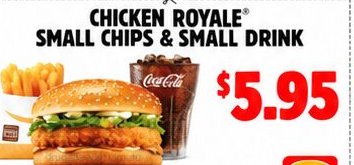
The drive thru follows the same rules as the counter, with one timing twist: everything happens through a speaker first and a window second, so the voucher has to be mentioned earlier than feels natural. Mention it at the speaker, before your order, in the same breath as hello. The crew member keys the discount in from the start, which is the only way the till can apply it. At the window, show the voucher on your phone with the brightness up, or hand over the paper copy, before you pay. If you forget and remember at the payment window, say so before the card goes through, because after payment there is no way back. Breakfast vouchers follow the clock here too, so a brekky deal at five past eleven will not fly, even with the voucher open and ready.
How to Use Vouchers Without Internet?
No signal is only a problem if the voucher lives behind a login. The printed vouchers were never online to begin with, and a saved copy behaves the same way. Save the voucher image or the PDF while you are still on Wi-Fi at home, and it will open in the middle of nowhere with zero bars, because a photo does not need the internet to exist. The paper flyer is even simpler: it works in a dead zone, on a flat battery, forever. App deals are the exception. They sit inside the app, so load your reward before you lose signal and keep the screen ready, and if the app cannot refresh at the store, the saved printed voucher in your photos is the backup that never fails. Regional travellers learn this once and never get caught again.
Why Would a Store Say No to a Voucher?
Almost every refusal comes down to the fine print that sits on the voucher itself, and knowing it in advance turns a no into a shrug instead of an argument. The current set runs at participating restaurants only, and a small number of stores do not participate. One voucher is allowed per customer per transaction, and a voucher cannot ride along with any other offer, including Shake and Win and the Seniors Card policy. The set excludes Tasmania, the Northern Territory and the ACT. Breakfast vouchers stop at 11am sharp. And an expired voucher is simply over, however nicely you ask. None of these are the crew being difficult; they are the terms the discount was printed with, and they are exactly the terms we check before any deal goes onto our list.
Using Hungry Jack's Vouchers: Your Questions
The questions people actually ask about using vouchers, answered the way we would want them answered at the counter.
Can I use Hungry Jack's vouchers on my phone?
Yes. Most participating stores accept a voucher shown on your phone screen, either the saved image of a single voucher or the PDF. Turn your brightness up, have the voucher open before you reach the counter, and show it before you order. A small number of stores now ask for the original paper copy only, so if your local is strict, a printed copy or the paper flyer itself is the safe backup.
Do I need to print Hungry Jack's vouchers?
Usually not. A clear image on your phone works at most participating stores, and every voucher on our home page can be saved on its own for exactly that. Printing helps in two cases: a store that asks for paper, and a dying phone battery. If you print, print the single voucher, not the whole set, and keep the price and the dates readable.
How do I download Hungry Jack's vouchers to my phone?
Open the vouchers list on our home page, tap the deal you want, and save it. Each voucher is cut out on its own, so you can save the image, download the Hungry Jack's Vouchers PDF, or print just that one voucher at home. Saving it before you leave means it sits in your photos, ready with or without signal.
Can I use a Hungry Jack's voucher at the drive thru?
Yes, drive thru is one of the easiest places to use one. Tell the person on the speaker that you have a voucher before you start ordering, because the discount has to go on at the start. Then show the voucher on your phone or hand over the paper copy at the window before you pay.
Can I use Hungry Jack's vouchers without internet?
Yes, if you prepare while you still have signal. A saved image or a saved PDF of a voucher opens with no connection at all, and the printed flyer never needed the internet in the first place. App deals are different: they live inside the app, so open the app and load your reward while you are still on Wi-Fi, and keep the screen ready.
Why is my Hungry Jack's voucher not working?
Work through the usual suspects. The voucher has expired, the item is a breakfast item ordered after 11am, the store does not participate, the state is one of the excluded ones, or another offer is already on the same transaction. Nine times out of ten it is the expiry date, so check the dates printed on the voucher first.
Can I use more than one voucher at a time?
No. The rule printed on every voucher is one voucher per customer per transaction, and vouchers cannot be combined with any other offer, including Shake and Win and the Seniors Card policy. If you have two deals worth using, the honest workaround is two separate transactions.
Do printed vouchers work in the app or on delivery?
No. The printed vouchers are for in store, counter and drive thru orders at participating restaurants. They do not apply inside the app, and they do not apply to delivery orders. The app carries its own separate deals, which is why checking both before you order saves the most.
Are Hungry Jack's vouchers valid in Tasmania, the Northern Territory and the ACT?
Not for the current set. The vouchers running from 15 September to 30 November 2026 exclude Tasmania, the Northern Territory and the ACT, and the exclusions are printed on the vouchers themselves. App deals follow their own terms, so check your app if you are ordering in those places.
Can I use a voucher at a self serve kiosk?
Often not. Many kiosks have no way to enter or scan a printed voucher, so the counter and the drive thru are the reliable channels. If the kiosk is your only option, ask a crew member before you start the order, because once an order is paid, a voucher cannot be added afterwards.
Keep Saving: Guides Hungry Jack's Fans Use
Once the method is second nature, the savings come from knowing what things cost and where your store fits in.